Week 6 — Elements 2–3
2.4 Select game-engine software and development tools
2.4 Select for creative, production and technical balance
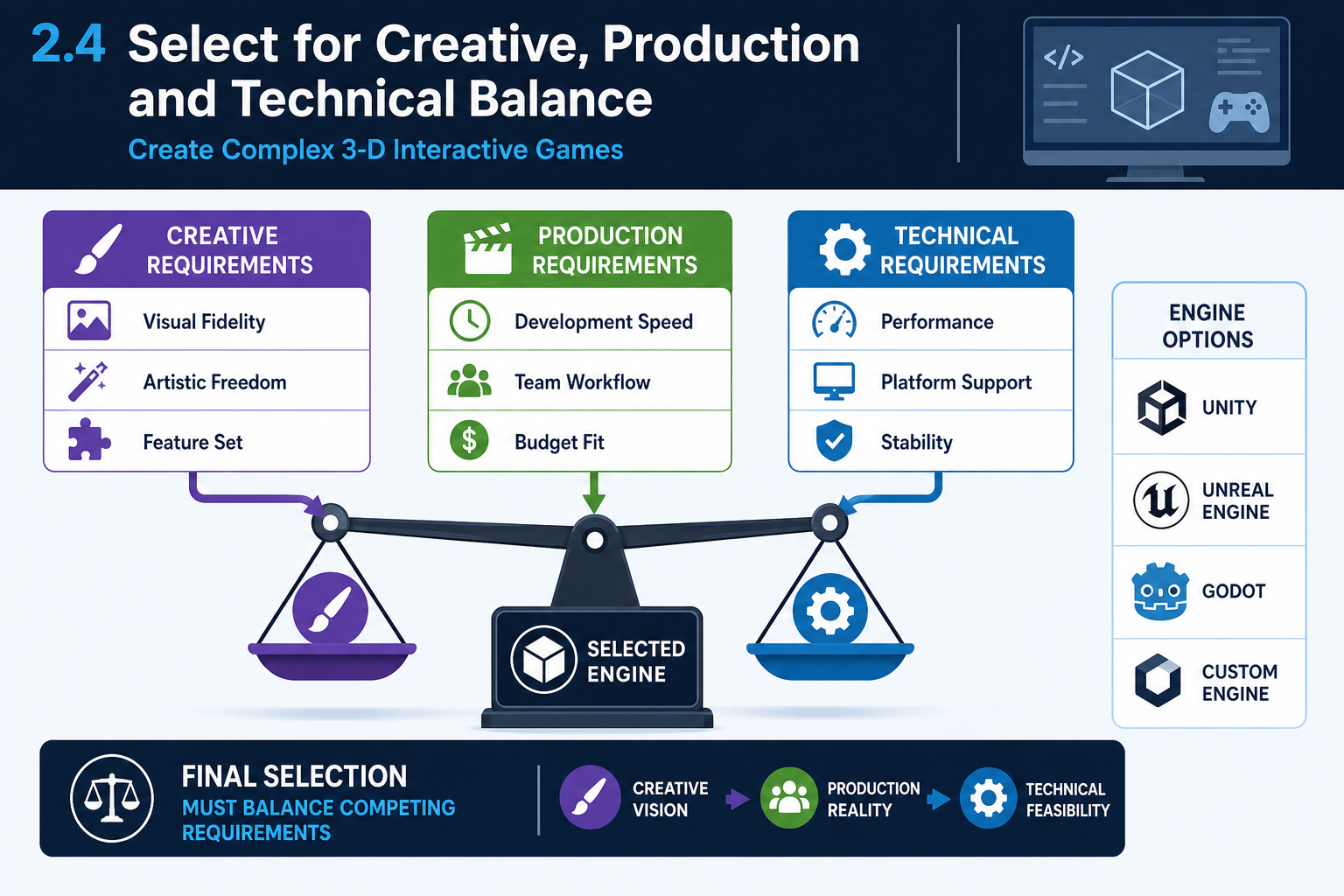
The balanced selection principle
Knowledge Evidence requires understanding the creative, production and technical requirements of creating 3-D games. Final selection should balance all three. A technically powerful engine that the team cannot use effectively may be worse than a simpler engine that reliably delivers the intended play experience. Conversely, a familiar engine may be unsuitable if it cannot meet a must-have technical requirement.
Creative requirements
Creative requirements include visual style, mood, animation feel, camera language, world scale, interaction feedback, audio atmosphere and player accessibility. If the game relies on cinematic realism, advanced lighting and large environments, Unreal may be a strong candidate. If the game relies on stylised visuals, rapid iteration and broad platform output, Unity may be strong. If the game prioritises openness, simple tools and lightweight development, Godot may be appropriate if 3-D requirements are validated.
Production requirements
Production requirements include team skills, schedule, budget, remote collaboration, training resources, asset pipeline and testing effort. For an online cohort, a tool that runs acceptably on student-supplied hardware and has accessible learning resources is critical. For a studio, contractor availability and existing pipeline may matter more.
Technical requirements
Technical requirements include rendering, physics, AI, animation, networking, build targets, profiling, memory management, asset streaming and platform SDK support. Selection must also consider how hardware constraints affect these systems. If the game targets VR, stable performance and input support may outweigh maximum visual fidelity. If it targets mobile, build size, thermal load and scalable quality settings are central.
Use a minimum viable fidelity mindset. Choose the level of visual and technical ambition required to satisfy the player experience, not the highest fidelity the engine can theoretically produce. This protects production time and leaves capacity for testing, accessibility, polish and bug fixing.
Applied example
A Darwin-based education studio is making a 3-D interactive cultural heritage experience for schools. The creative goal is respectful, stylised exploration rather than photorealism. Production constraints include a small team and school laptop hardware. Technical needs include first-person navigation, hotspot interaction, narration audio and Windows/browser-friendly deployment. The team selects Unity with a lightweight render pipeline after consultation. Unreal's high-end visuals are rejected because they do not justify the hardware and training cost for this outcome.
Common mistakes
A common error is feature chasing: selecting the engine with the most impressive renderer even when the game requires simple interaction and reliable deployment. Another is comfort bias: selecting the engine the developer already knows without checking whether it supports the required assets, platforms or performance. A defensible selection explains why the chosen balance is right for this game.
2.4 Lock in the asset and integration toolchain
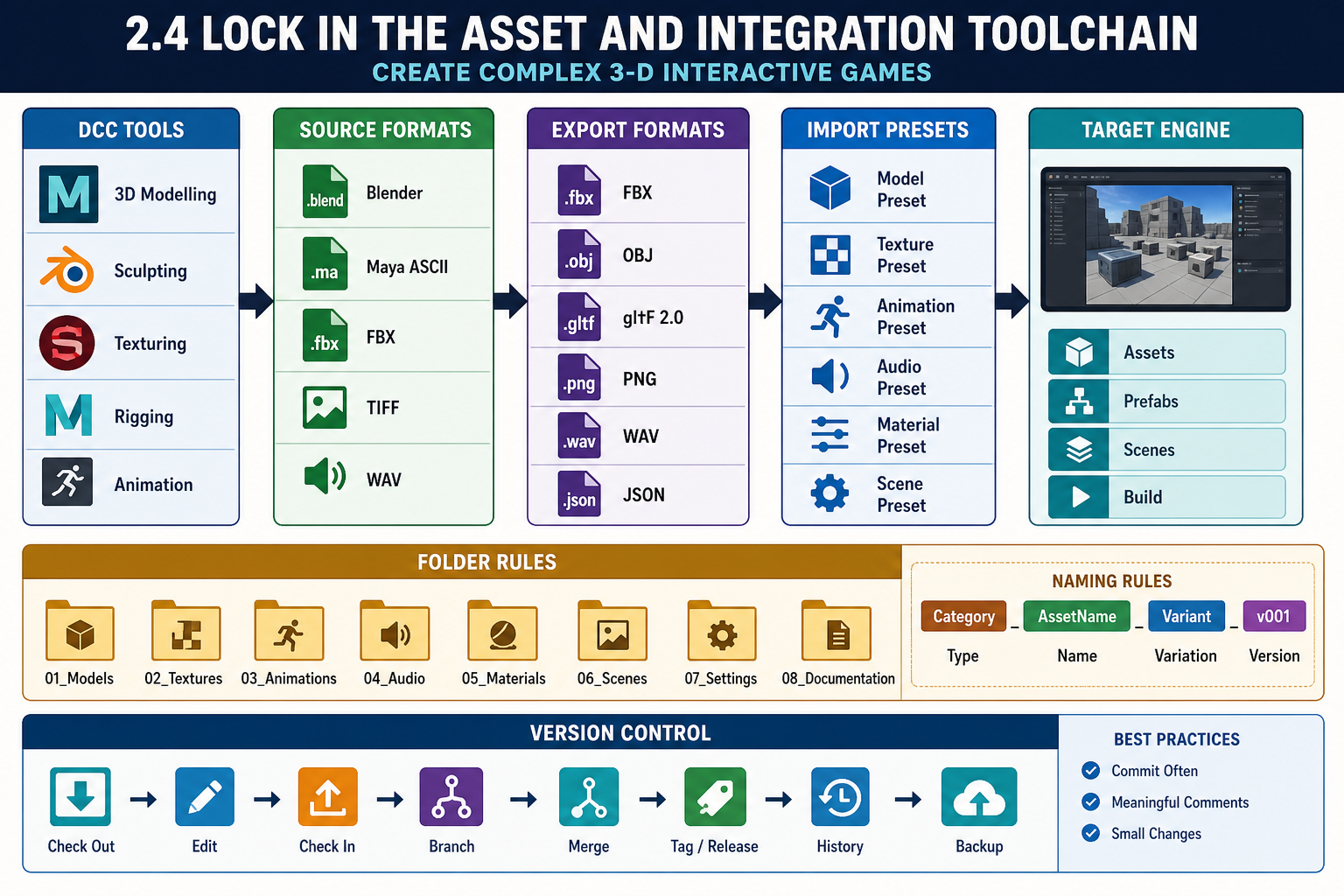
Selecting asset tools and formats
Final selection must include development tools that support asset creation and integration. For complex 3-D games, the asset pipeline often determines whether production is smooth or chaotic. You should select not only the DCC tools but also formats, settings and workflow rules.
What to specify
Include decisions such as:
- modelling tool: Blender, Maya or another approved DCC tool
- texture tools and texture resolution limits
- animation source and export method
- preferred interchange format, such as FBX for skeletal animation or glTF for selected static assets where suitable
- audio format for source files and engine import
- naming conventions for meshes, materials, textures, animations and prefabs/blueprints
- folder structure inside the engine project
- import presets and scale settings
- LOD, collision and lightmap requirements
- version control treatment for large binary assets.
Version control selection
Game projects contain many binary files that do not merge like text code. Git can work for small teams if combined with Git LFS and clear locking rules. Perforce is common in larger studios because it handles large binary assets and file locking well. Unity Version Control may suit Unity-focused teams. Select based on team size, asset volume, hosting cost, learner access and technical support.
Asset integration example
A Newcastle student team selects Unreal for a 3-D boss arena. Their toolchain includes Blender for meshes, Mixamo only for prototype animations where licence terms permit, Substance Painter for final textures, WAV source audio, and Perforce for version control. They specify centimetre scale, FBX export settings, a naming convention such as SM_ for static meshes and SK_ for skeletal meshes, and a rule that marketplace assets must have licence notes stored in a Documentation folder.
Common mistakes
Do not leave each artist to choose arbitrary export settings. Inconsistent scale, pivots and material names create rework. Do not store only final engine assets and lose source files. Do not use compressed audio or texture formats as your only masters; keep editable source where practical. Do not ignore asset provenance. If you cannot prove you have rights to use an asset, do not include it in a project intended for assessment, portfolio or release.
Contingency planning
If integration tests reveal problems, adjust early. You might change export format, standardise on one DCC version, reduce texture sizes, simplify rigs, introduce import presets or select a different version control system. The aim is to prevent asset pipeline failures from appearing late in production.
For assessment evidence, keep screenshots or notes from import tests, including problems found and settings chosen. This proves that your selected tools were tested against the actual game asset needs rather than assumed to work.