Week 3 — Element 1
1.6 Determine strategies for monitoring production progress against schedule
1.6 Define monitoring strategies
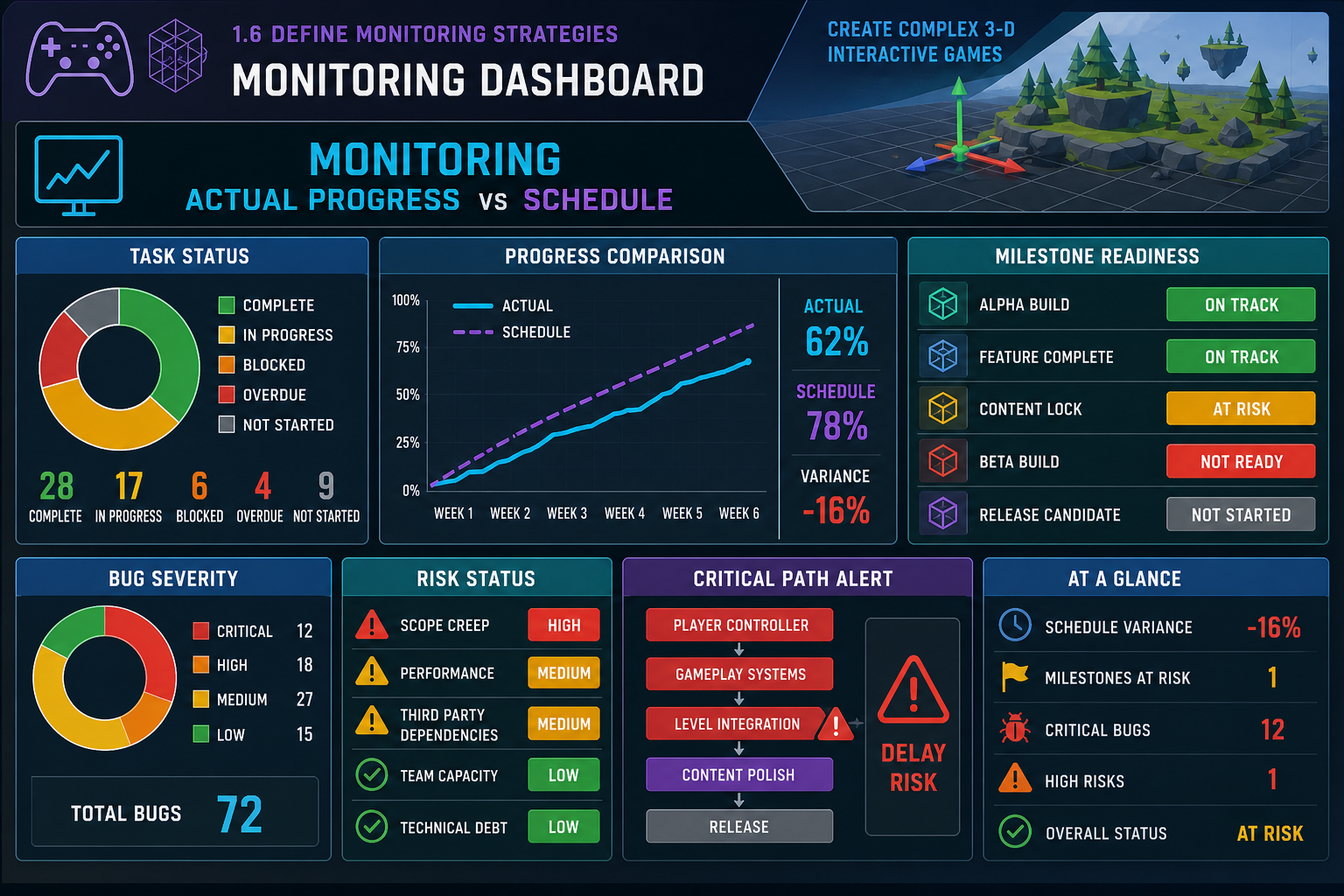
What monitoring means
Monitoring production progress means regularly comparing actual work against the schedule and using that information to make decisions. It is not just asking “Are we on track?” A good monitoring strategy defines what will be measured, how often, by whom, and what happens when progress deviates from the plan.
For a beta prototype, monitoring should cover:
- task completion against due dates
- milestone readiness
- asset status and approval
- integration success
- bug counts and severity
- build stability
- critical path movement
- risk status
- team availability and blockers.
Tools and methods
Common monitoring methods include:
- Kanban boards with workflow columns
- sprint boards and burndown charts
- Gantt chart updates
- daily or weekly stand-ups
- milestone reviews
- build verification reports
- bug dashboards
- risk registers
- asset register status reviews.
For online learning or remote work, visibility is essential. A shared board in the LMS or project management tool helps everyone see what is in progress, blocked, in review and done.
Meaningful metrics
Choose metrics that support decisions. “Number of tasks closed” can be misleading if easy tasks are completed while critical tasks are blocked. Better indicators include:
- beta-critical tasks complete versus planned
- critical path tasks on time or late
- number of assets approved against Definition of Done
- number of unresolved blockers
- number of critical/high bugs
- days since last stable build
- playtest issues fixed and retested.
Monitoring cycle
Use a regular cycle:
- Collect current status from tools and team members.
- Compare actual progress with schedule baseline.
- Identify variances, blockers and emerging risks.
- Decide actions, such as reassigning work, reducing scope or escalating decisions.
- Update the schedule, risk register and task board.
- Communicate changes to required personnel.
Workplace example
A Townsville team preparing a 3-D drone training beta holds a weekly online production review. The producer compares the schedule with the task board, checks the asset register and reviews the bug dashboard. When the drone controller task slips by three days, the team sees that it affects camera tuning and obstacle testing. They pause optional environment polish and assign an extra programmer to controller debugging.
Common mistakes
Monitoring without action is reporting theatre. If the same blocker appears week after week, the strategy is not working. Also avoid relying only on percentage-complete estimates; people often report 90% complete when the hard integration work remains.
1.6 Monitor quality and Definition of Done
Why quality monitoring matters
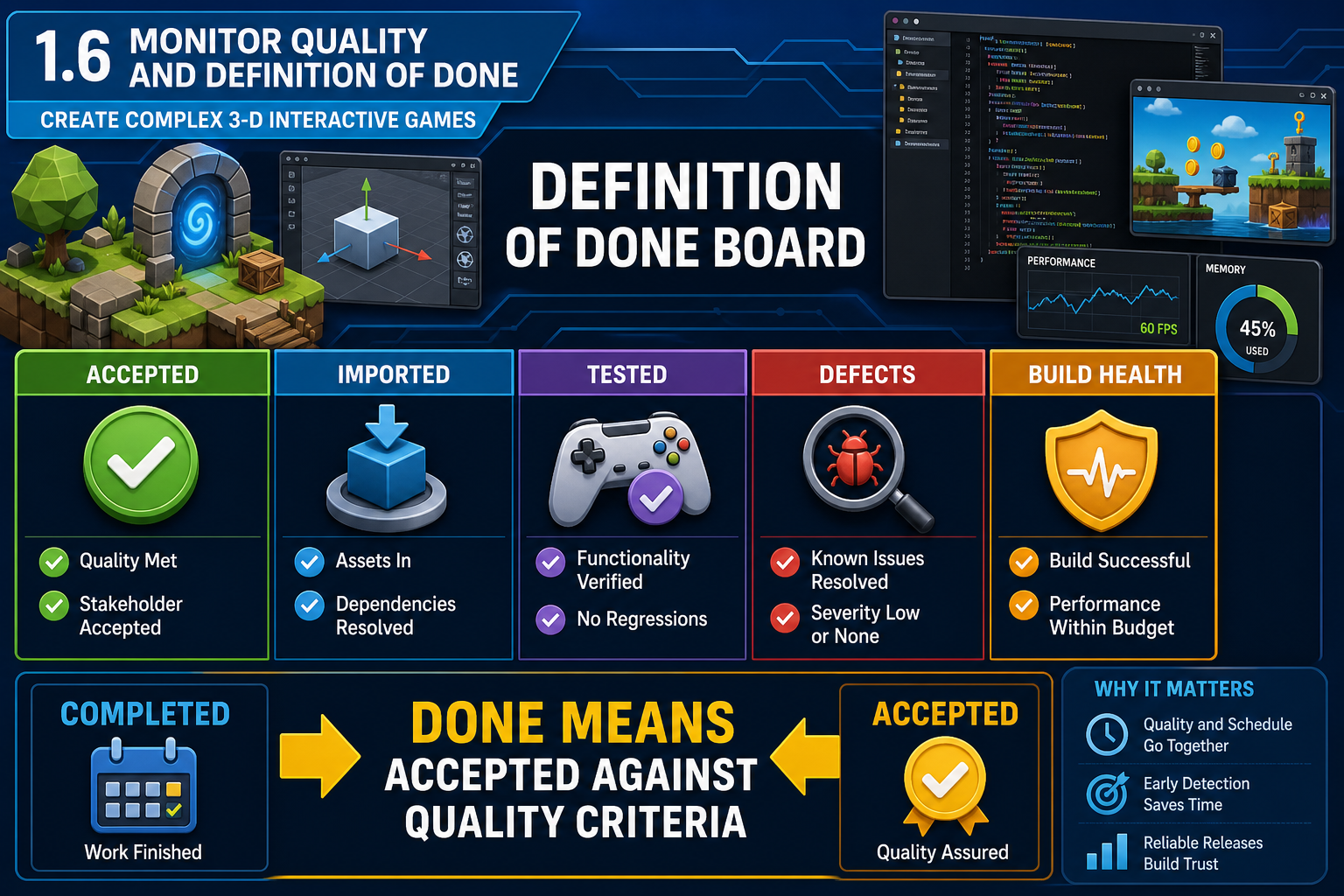
A project can appear on schedule while quality is failing. If many assets are marked complete but do not import correctly, the real progress is lower than reported. Monitoring production progress against schedule must therefore include quality measures and Definition of Done checks.
For game production, done should mean the work meets agreed acceptance criteria. A 3-D prop is not done because the artist exported a file. It is done when it has been reviewed, imported, placed or tested in context, and accepted against creative and technical requirements.
Quality checkpoints
Build QA checkpoints into monitoring. Examples include:
- concept approval before modelling
- technical art review before export
- engine import validation
- in-game functional test
- performance check in representative scene
- accessibility or usability check where relevant
- final acceptance against beta requirements.
Distributed checkpoints reduce late rework. If a collision issue is caught when the first prop is imported, the team can fix the export process before hundreds of props are created.
Bug monitoring
Bug tracking is central to beta readiness. A bug report should usually include summary, steps to reproduce, expected result, actual result, build version, severity, priority, screenshots or video where useful, and assigned owner. Severity describes impact; priority describes when it should be fixed. A crash blocking the main test path is high severity and high priority. A minor visual seam may be low severity unless it affects a showcase area.
Monitor:
- open bugs by severity
- new bugs per build
- fixed bugs awaiting retest
- reopened bugs
- blockers affecting testing
- defect trends near beta.
Build health
A game team needs stable builds for testing. Monitor build health by tracking whether the project opens, compiles, packages and runs on target hardware. A schedule that says “testing week” is meaningless if no stable build exists.
Workplace example
A Sydney online team marks 40 environment assets as complete. During monitoring, the technical artist checks the Definition of Done and finds only 18 have collision and correct materials. The producer updates the dashboard to show approved assets, not just exported assets. The schedule is adjusted to add an integration repair task before the playtest.
Common mistakes
Do not let team members self-declare done without review where the task affects integration. Also do not allow the bug database to become a dumping ground. Triage regularly so testers, artists and programmers know what must be fixed before beta and what can be deferred.
1.6 Manage variance, risk and critical path
Understanding variance
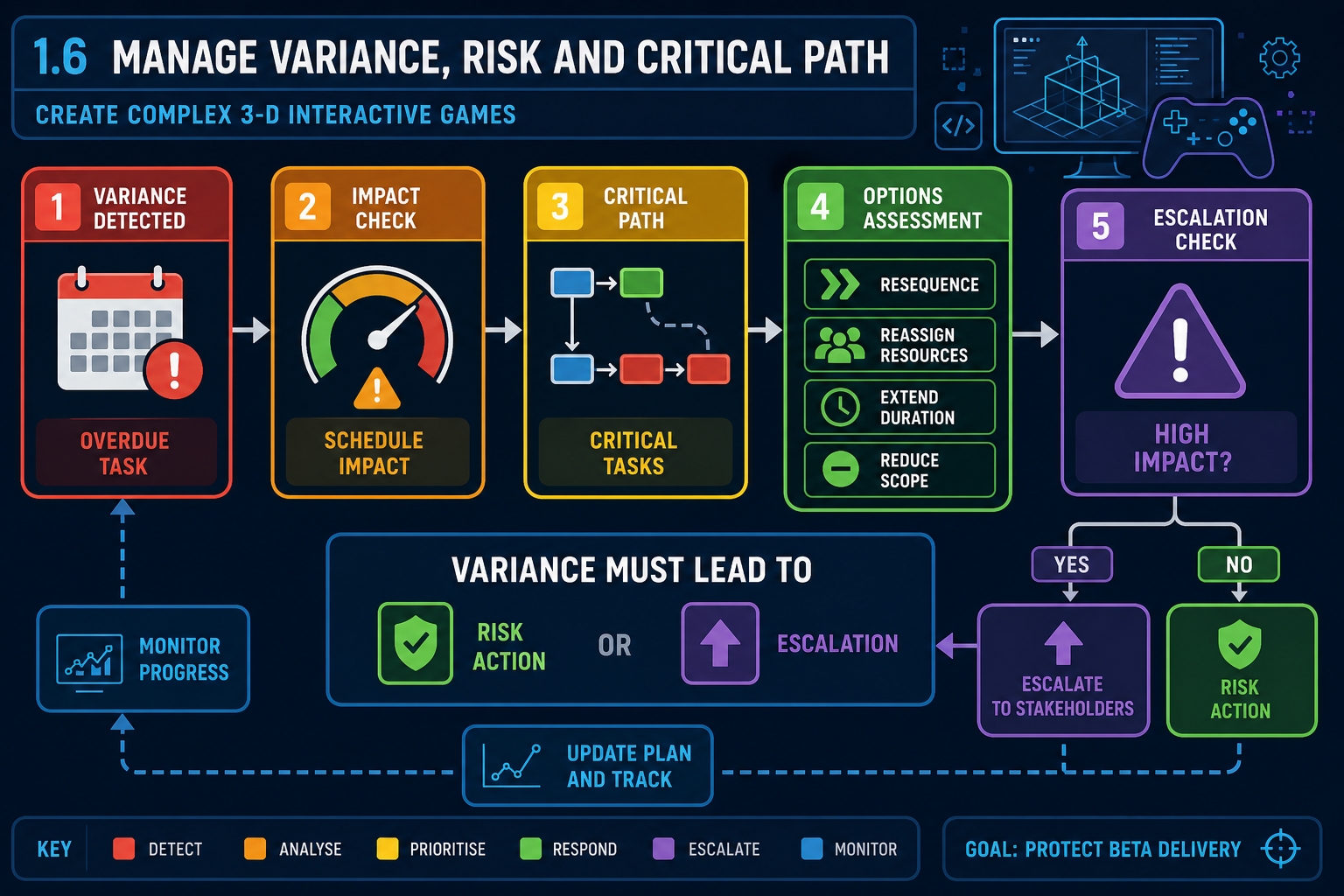
A schedule variance is the difference between planned progress and actual progress. Variance may be positive, such as finishing early, or negative, such as a task taking longer than expected. Monitoring strategies must define how variance will be identified and managed.
For small game projects, practical variance indicators include:
- task is overdue
- milestone criteria are not met by review date
- asset approval rate is below plan
- critical bug count is not reducing
- build has been unstable for several days
- high-risk task has no working prototype
- team member availability changes.
Risk register monitoring
A risk register records potential events that could affect production, their likelihood, impact, owner and response. Risks should be reviewed regularly, not created once and forgotten. Typical game production risks include unfamiliar engine features, plugin failure, hardware limitations, late assets, scope creep, contractor delays, merge conflicts, performance problems, and lack of tester availability.
Risk responses include:
- Avoid: change the plan to remove the risk.
- Reduce/mitigate: lower likelihood or impact.
- Transfer: use specialist support or outsourcing where appropriate.
- Accept: proceed with awareness and contingency.
For example, if Lumen performance in Unreal is uncertain on target hardware, the team may mitigate by profiling early, preparing baked lighting fallback options, and limiting dynamic lighting in beta.
Critical path monitoring
Critical path tasks need closer monitoring because delays directly threaten the beta date. If a critical task slips, you need action, not just a note. Options include:
- reassigning skilled personnel
- reducing scope
- simplifying technical approach
- changing task order
- approving a placeholder or exception
- extending schedule with stakeholder approval.
Escalate early and present options. “We are late” is less useful than “Enemy AI is three days late; options are to reduce enemy behaviours for beta, add programmer support, or move the playtest by one week.”
Workplace example
A regional Australian studio preparing a 3-D farming beta finds that dynamic crop growth is slipping. Monitoring shows it is on the critical path because harvesting, UI feedback and economy testing depend on it. The team reduces beta scope to one crop type with data-driven growth stages, defers seasonal variation, and keeps the playtest date.
Common mistakes
Do not hide variance to avoid uncomfortable conversations. Late escalation removes options. Also avoid treating every risk equally. Focus attention on high-impact risks and critical path items that affect beta validity.